20 FireFox Extensions That Every Web Designer Should Know About
October 5th, 2006 - By: Alex BaileyHere's a list of 20 useful FireFox extensions that all web designers should know about.
Web Developer Toolbar
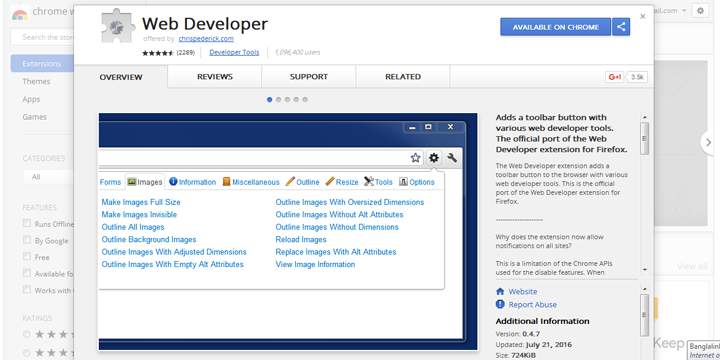
Brings most FireFox options to your tool bar. It allows for a quick disable of cookies, cache, JavaScript, and a ton of other things. This is very useful when making a login script.

AspellFox
It gives a spell check option when you right click in forms. I use this for WordPress, since it has no spell checker without a plugin.
RankQuest SEO Toolbar
SEO tool. It gives information on search queries including page rank. Check how your site ranks on Google with this tool bar.
OperaView
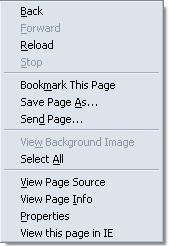
Yup we've all heard about IEView, so why not Opera view. This extension gives an Opera tab in your FireFox browser. Different browsers render things differently, so make sure you check in all browsers.

IEView
Yup had to include it. Same thing as OperaView except you can open a new tab with IE rendering.
Total Validator
Validate your code for XHTML compliancy, check for spelling errors, broken links, and even take a screen shot of your site with this extension.
SEO for FireFox
This extension directly adds more info into Google and Yahoo search results. Some things it adds are page rank, alexa rating, how many people link to you on Technorati, del.icio.us book marks, and much more.
HttpLiveHeaders
Directly edit your headers with this extension. You can capture, and POST back the headers you've sent and received. This is a great script to find out why your forms aren't working.
View Cookies
View the current cookies for the site you're browsing. Good plugin to check if the script you're making is setting the proper cookie, for the correct time.
ViewSourceWith
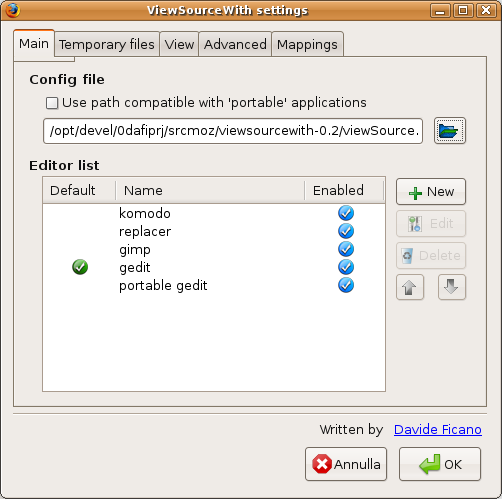
Open images, js files, CSS, and HTML source files of a website in your favorite editor.
Performancing
Performancing for FireFox is a full featured blog editor that sits right in your FireFox browser and lets you post to your blog easily. You can drag and drop formatted text from the page you happen to be browsing, and take notes as well as post to your blog.
No-Referrer
If you're trying to write a script that deals with referring information, this might be useful. It allows you to click a link without the browser having any referral information.
Load Time Analyzer
Load time analyzer gives detailed statistics on how your page loaded, and how long it took. After it's done analyzing it produces a sleek graph of the results.
User Agent Switcher
Are you making a script that needs to know what kind of browser the person is using? Test if it's working by changing your user agent.
EditCSS
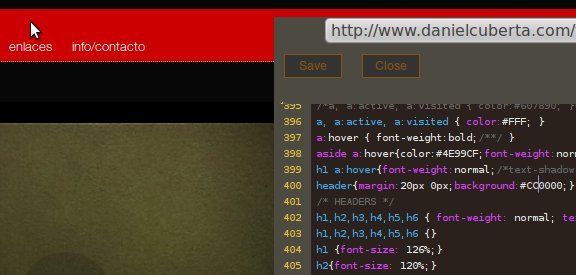
EditCSS puts a side panel with your style sheet in it to allow for easy editing. It's simple, but a very useful extension.

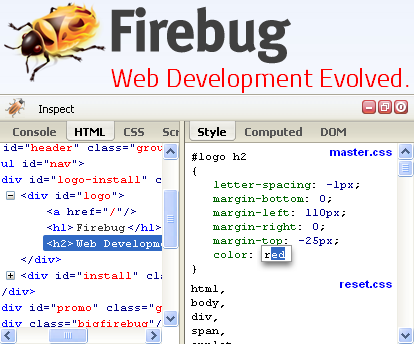
FireBug
Debug your code, including JavaScript and CSS.
MeasureIt
It renders a ruler across the page so you can measure the length of the object in pixels.
FireFTP
Turn your browser into an FTP client. Easily upload your new code, without a bulky FTP client.
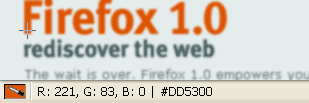
ColorZilla
This extension is awesome. It gives you an eye dropper, so you can get the exact hex code of a certain color on a website. I've forgotten the hex color of banners on my site many times. This will come in handy sooner or later.
Copy as HTML Link
Copy as HTML instead of a normal hyper link. Makes posting links in your blog slightly easier. Not the best extension, but it should be mentioned on the list.


1. Dale Cruse | October 5th, 2006 @ 10:25 PM |
+3
All very good extensions. However, they are much more geared toward developers rather than designers, as the headline claims.
2. Sridhar | October 6th, 2006 @ 3:44 AM |
+1
No extension is needed for spell checking. All you need is a bookmarklet.
spellingcow.com/
3. Lv | October 6th, 2006 @ 8:32 AM |
+2
I’ll try it,thanks.
4. Jauhari | October 6th, 2006 @ 9:18 AM |
--2
Wow nice, I love this and I want use this. Thanks for you sharing information ;)
5. Daniel Slaughter | October 6th, 2006 @ 12:28 PM |
+1
The Web Developer Toolbar offers the same abilities that MeasureIt, EditCSS and No-Referrer does.
The Web Developer Toolbar also has most of the validation tools that Total Validator offers.
So this list should really only be 16-17 items!
There is another extension called “Server Switcher” which will allow you to switch from your test server to your public server in one click, this should be on the list too.
6. chen bo | October 6th, 2006 @ 1:30 PM |
--2
I use only very few of the mentioned above. sounds nice.
7. Phil Wilson | October 6th, 2006 @ 2:26 PM |
+0
Firefox 2 has a spell checker built in. RC2 is out today. tech.cyber...available/
8. Joel L. | October 6th, 2006 @ 3:02 PM |
--1
Not that web designers shouldn’t spell correctly, but come on.
And, if it’s a web developer list, then why the blog editor.
Still, you managed to get onto delicious’ popular list and me commenting, so congrats.
9. Jai | October 6th, 2006 @ 5:22 PM |
--2
An excellent list. I found few good ones here. I have found these best 50 extensions also useful.
10. jd | October 6th, 2006 @ 6:25 PM |
--1
Not to sound like too much of a Google fanboy, but Google toolbar has spell check and page rank built in, I’d rather use those in place of a couple of your suggestions and limit the number of toolbars I have. Great list though, I use a number of these and they are good as you say.
11. Dylan | October 6th, 2006 @ 9:03 PM |
--1
It should be noted that the Opera View extension does not open a tab within Firefox which uses Opera as the rendering engine, unlike IE Tab (which you don’t actually mention, instead you attribute its functionality to IE View) because of licensing differences. All it does is open the page in Opera externally.
12. Dianne Dawson | October 7th, 2006 @ 4:07 PM |
+0
Hey - thanks for posting this. These look great! I got a few additionial resources from the comments, too.
I am just exploring del.icio.us which is how I ended up here. I see mention of “Digg” which I have yet to explore. Anything helpful on that is appreciated.
13. Brian King | October 7th, 2006 @ 8:44 PM |
+1
More view source goodness - View Source Choice.
https://ad...efox/2070/
14. tj | October 12th, 2006 @ 5:21 PM |
+1
What an excellent page! Thanks for spending time to compile this list. You should also check out table inspector at juicystudi...php#theext
15. Leonardo | October 13th, 2006 @ 10:53 AM |
--2
A very good selection, excellent!
Leonardo
16. Antonio | October 19th, 2006 @ 11:15 PM |
+0
Very useful page, thanks!
I think a webdesigner must know how to do XHTML/CSS, or else he will not understand really what he is doing.
A webdesigner who delivers photoshop/freehand files, like many do, may be a great designer, but is not really a wedesigner.
That’s because webdesign is not purely graphical. It’s the definition on how people communicate with each other, not the definition on how people communicate or see graphical things in front of them.
So, if you need to travel, think about the ultimate goals of your voyage, not about contemplating the aeroplane.
17. Marko Petkovic | October 30th, 2006 @ 1:42 AM |
+0
I am extensions junky but I must admin I never knew about some from list. Thanks.
18. ביטוח רכב | November 3rd, 2006 @ 9:20 PM |
--1
There is another extension called “Server Switcher†which will allow you to switch from your test server to your public server
ביטוח ×ž×©×›× ×ª×
19. Chad | November 16th, 2006 @ 9:12 PM |
+0
Help me please…
I just installed Firefox 2.0, and all of a sudden, my username/password isn't being inserted in the signon window (it always was before). I tried the usual suspects–I did not mistakenly tell FF not to remember the password for this site; and I also tried the remember password bookmarklet, but all to no avail–FF will not ask me to remember this password. What do I need to do to get around this?
20. Rub3X | November 18th, 2006 @ 6:54 PM |
+0
[quote comment="2351"]Help me please…
I just installed Firefox 2.0, and all of a sudden, my username/password isn't being inserted in the signon window (it always was before). I tried the usual suspects–I did not mistakenly tell FF not to remember the password for this site; and I also tried the remember password bookmarklet, but all to no avail–FF will not ask me to remember this password. What do I need to do to get around this?[/quote]
Did you try clearing ALL private data? Cookies cache URL history - everything.
21. andreus | December 1st, 2006 @ 9:55 AM |
+1
Seo of Firefox has its advantages. But I love Seoquake! It’s show more parameters and much useful. Here it is seoquake.com
22. Zaur | December 24th, 2006 @ 11:52 PM |
+0
Hi guys, can you please advice where in Firefox I can disable javascript? I can’t find that tool.
23. Alex Bailey | December 25th, 2006 @ 1:43 AM |
+1
[quote comment="4541"]Hi guys, can you please advice where in Firefox I can disable javascript? I can’t find that tool.[/quote]
Tools > Options. Click content, and un-check javascript.
24. sandraissa | December 30th, 2006 @ 11:37 PM |
+0
Happy new year !-!
o:)))))
25. D Sarathy | January 5th, 2007 @ 5:32 AM |
+0
Hi Alex Bailey,
Thanks for mentioning RankQuest SEO Toolbar here. Feel free to use our other offerings like WatchRank, SEO Gadget etc., and post your feedback.
Looking forward for your valuable feedback / inputs.
Thanks once again.
D Sarathy.
26. פיצה | March 25th, 2007 @ 5:02 AM |
+0
not directly related to design, but i still think is usefull for any professional - session manager.
great when i have a reference site open, plus 2-3 tabs of my backstage, a tab with the site i’m working on and an IE tab to check how thing look in IE…. then when i wanna take a break, i can just close all tabs, go watch youtube for a while, then get back to the same point i left.
27. Bonus regeln | July 25th, 2007 @ 3:49 PM |
+0
IEView is a must unfortunately (it’s actually pronounced IEAAAAAAAAAAA!! by site desingers).
Too bad it doesn’t work on linux :(
28. Zoinked | March 13th, 2008 @ 4:27 PM |
+0
I had most of these but you missed some really really useful ones. Admittedly they are more for a developer or Webmaster but here they are …
Copy Plain Text (simple but essential)
Html Validator (alternatives available but I like this one)
LinkChecker (cool)
Linky (also cool)
ListZilla (share your extension list!)
29. genesis | April 1st, 2008 @ 12:46 PM |
+0
A great list with one caveat.
I added a bunch of these and Firefox (2.0.1.13) started behaving really badly and was almost unusable as the memory usage went through the roof.
After a bit of hunting around I found that disabling Firebug restored things to normal. I gues I’ll enable Firebug only when I need it and watch and hope for an update that fixes the memory issues.
Leave a comment